

Direct Answer
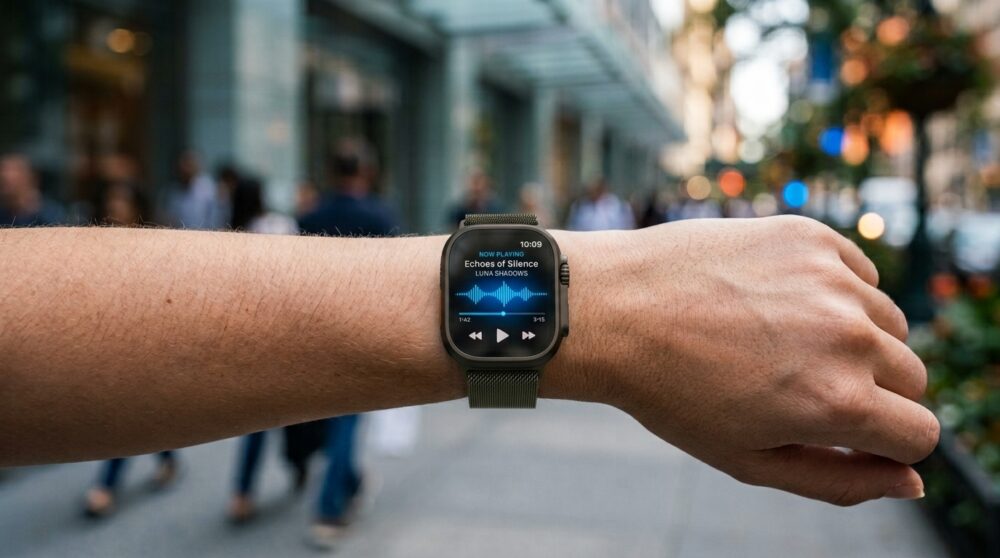
Apple Watch’s Live Rewind Audio Intelligence gives wearers a fast way to retrieve speech fragments they missed. By using a quick Digital Crown shortcut, the watch generates a brief text readout of the previous 15 seconds, making it simple to keep up during meetings, daily tasks, and noisy surroundings.
The workflow value is recovery. A user can keep listening instead of stopping the whole conversation to ask for a repeat.
A Cleaner Conversation Workflow
The best workflow tools remove friction at the exact point where it appears. Live Rewind does that by turning a missed phrase into readable context.
That is why Live Rewind Audio Intelligence belongs in the practical-AI category. It is not flashy; it is useful at the exact second attention slips.
Key Takeaways
- Tailored to recover recently missed spoken details without disrupting dialogue.
- Deeply integrated into watchOS under Apple’s Audio Intelligence suite.
- Triggered on demand via a simple double-tap of the Digital Crown.
- Captures a narrow rolling timeframe covering roughly the last 15 seconds.
- Converts recent speech into a short, easily scannable text readout.
- Proves invaluable across corporate meetings, errands, classrooms, and busy venues.
- Operates best when activated immediately after losing track of a phrase.
- Designed strictly as an instant recovery assistant, not a full meeting recorder.
- Requires ongoing awareness of social etiquette and local privacy boundaries.
- Delivers its highest value as a fast, real-time conversation backup.
How the Feature Works
The missed-speech moment
The feature targets a frequent daily frustration: a speaker delivers key information, the listener catches only part of it, and the conversation moves forward before there is time to ask for a repeat.
The shortcut interaction
Double-clicking the Digital Crown keeps input time to a minimum. The wearer scans the generated text and immediately reconnects with the ongoing conversation.
The text result
Instead of creating long-form transcripts, the system displays a bite-sized text snippet, ensuring Live Rewind Audio Intelligence remains quick to process and easy to trust.
When the Shortcut Saves Time
The shortcut matters in small moments: a client mentions a number, a teammate names a task, or a speaker drops a key phrase in a noisy room.
The feature succeeds when it feels invisible. The watch provides context, then gets out of the way.
Where It Helps Most
Work conversations
A missed detail in a business meeting can involve a critical project deadline, location address, pricing structure, client name, or instruction. Running a quick 15-second rewind prevents small miscommunications from becoming project delays.
Public noise
Restaurants, retail centers, transit hubs, and outdoor events frequently create challenging listening conditions. Live Rewind offers a reliable fallback when loud background noise drowns out a sentence.
Learning environments
In a lecture, corporate training session, or academic course, a listener might miss a key definition or topic transition. Live Rewind Audio Intelligence catches that lost point on the spot without interrupting the flow of the presentation.
For people who occasionally struggle to catch every word in a conversation, having a quick way to review recent speech could also make the Apple Watch more useful as an accessibility tool.
Source: Information and compatibility details are based on Apple’s official Audio Intelligence support documentation.
What It Is Not
This feature should never be confused with a hidden audio logger, a permanent sound repository, or a full transcription system. It functions exclusively as a brief assistance tool for live interactions you are actively participating in.
Keeping this scope contained is a benefit. It sets clear expectations and separates simple daily convenience features from heavy-duty audio recording applications.
Privacy and Social Etiquette
Know the setting
Microphone-enabled utilities can raise natural privacy questions. Wearers should exercise good judgment regarding their environment and respect local guidelines alongside general social norms.
Use it as assistance
The ethical application is straightforward: catch up on words you missed during a conversation you are already a part of. It should not be used to bypass interpersonal consent.
Quick Use Checklist
- Catch the missed phrase right as it occurs.
- Execute the Digital Crown gesture without delay.
- Read the generated text snippet on display.
- Re-engage immediately with the active discussion.
- Utilize a dedicated voice-recording tool when a complete transcript is required.
- Verify hardware and watchOS version support prior to depending on the utility.
Frequently Asked Questions
How far back does Live Rewind go?
It operates within a brief 15-second rolling buffer, so prompt activation is necessary.
Does it save a full recording?
No. Live Rewind Audio Intelligence generates short temporary text snippets rather than preserving full audio recordings.
Why put this on Apple Watch?
Because the watch stays readily accessible on your wrist during face-to-face interactions, using its crown shortcut is far quicker than reaching for an iPhone.
Bottom Line
Live Rewind Audio Intelligence delivers practical value by solving a clear, everyday problem. When a few spoken words slip by, Apple Watch provides a swift recovery tool to keep you engaged in the room.