

Direct Answer
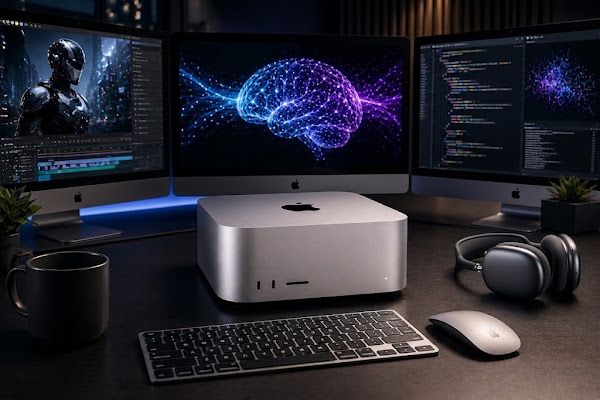
The Mac Studio equipped with M5 Ultra and M5 Max dramatically raises local workstation capability, delivering up to 4.3x higher peak AI compute than M3 Ultra, GPU gains up to 1.8x, and system memory options to 512GB with 1.2TB/s bandwidth. That enables large on-device models, heavier video timelines, and demanding 3D scenes without constant cloud reliance.
Why this matters to creatives and researchers
If you regularly work with generative AI, high-resolution video, or complex 3D projects, raw silicon performance and memory bandwidth dictate what you can run locally. Apple’s M5 family brings tighter GPU-integrated Neural Accelerators, larger unified memory pools, and faster I/O so teams can move more workloads from cloud servers back onto a single desktop or clustered Macs.
Key takeaways at a glance
- AI compute: M5 Ultra peaks up to 4.3x the AI compute of M3 Ultra.
- Unified memory: Up to 512GB of unified memory with 1.2TB/s bandwidth on M5 Ultra.
- Connectivity: Thunderbolt 5 (up to 120Gb/s), Wi‑Fi 7 and Bluetooth 6 support via the N1 wireless chip.
- Scaling: Multiple Mac Studio units can be linked with Thunderbolt 5 and RDMA to accelerate inference (up to 3x vs single system).
Silicon and architecture explained
Apple ships the Mac Studio with two M5 family choices. Both integrate Neural Accelerators into their GPU subsystems to speed matrix and tensor math common to modern machine learning workloads.
M5 Max — the single‑chip pro workhorse
The M5 Max targets developers, editors, and 3D artists who need a high single‑system ceiling. It pairs an 18‑core CPU with a GPU that scales to 40 cores, supports up to 128GB of unified memory, and delivers 614GB/s memory bandwidth. Hardware‑accelerated ray tracing and improved shader cores help both viewport interactivity and offline render times.
M5 Ultra — two chips fused for top performance
M5 Ultra joins two M5 Max dies to form a single package: 36 CPU cores, an 80‑core GPU, and up to 512GB of unified memory at 1.2TB/s. This configuration doubles video encode/decode hardware compared with M5 Max and, according to Apple, can playback up to 33 simultaneous streams of 8K ProRes 422 video.
Benchmarks and real‑world comparisons
Apple highlights several workload comparisons versus earlier silicon. Below is a compact view of those relative improvements as reported by the company.
| Category | M5 Max vs previous | M5 Ultra vs previous |
|---|---|---|
| LLM prompt processing | 3.9× faster than M4 Max (and noted as 10.7× vs M1 Max) | 4.0× faster than M3 Ultra (noted as 9.8× vs M1 Ultra) |
| Text‑to‑image generation | 3.5× faster than M4 Max | 4.3× faster than M3 Ultra |
| 3D / VFX scene rendering (Maxon Redshift) | 1.4× faster vs M4 Max | 1.7× faster vs M3 Ultra |
| ML model training / creative ML tasks | Up to 3× faster DaVinci Resolve Magic Mask vs M4 Max | 3.3× faster CopyCat ML training in Nuke vs M3 Ultra |
Blackmagic Design’s DaVinci Resolve users are cited as seeing up to 3× faster Magic Mask operations on M5 Max compared with older generations. For labs and studios that need even more capacity, interconnecting multiple Mac Studios via Thunderbolt 5 and RDMA creates a shared memory space Apple says can deliver up to a 3× boost in distributed AI inference compared with a single system.
Connectivity, displays and system features
Apple also upgraded bandwidth and wireless subsystems to match the CPU/GPU improvements. Notable points:
- Thunderbolt 5: Up to 120Gb/s channel for fast external storage, eGPU/expansion chassis, and multi‑display pipelines.
- N1 wireless: Adds Wi‑Fi 7 and Bluetooth 6 support for higher‑bandwidth wireless links.
- Display engine: Supports up to eight independent monitors, or four Studio Display XDR units at 5K/120Hz when using appropriate outputs.
- USB‑C Genlock: Professional frame synchronization for camera and display workflows.
On‑device AI: why run models locally?
Running inference and some training tasks on a local Mac Studio removes cloud constraints: no API token limits, lower latency, stronger data privacy, and no recurring cloud fees for inference traffic. The combination of GPU Neural Accelerators and large unified memory lets teams operate bigger and often unquantized models on the desktop.
Developers aiming to build or fine‑tune models in Apple’s ecosystem can use Apple’s updated frameworks (Core AI, MLX) and the open‑source MLX on GitHub to streamline workflows on Apple silicon.
Recommended scenarios to consider each model
- Choose M5 Max if you need strong single‑system performance, up to 128GB memory, and lower entry cost for heavy editing, coding, or 3D work.
- Choose M5 Ultra if you regularly work with massive LLMs locally, edit many 8K streams, or require the largest memory pools (512GB) and peak AI throughput.
- Consider clustering when you need more aggregate inference throughput than one system can provide; four linked Mac Studios can form a shared memory pool for distributed workloads.
Pricing snapshot
Apple’s listed starting prices are: Mac Studio with M5 Max from $2,499 (education price $2,299), and Mac Studio with M5 Ultra from $5,499 (education price $5,099).
Frequently Asked Questions
What is the base starting price for the M5 Mac Studio?
The entry price for the Mac Studio with M5 Max is $2,499 (education buyers can get it for $2,299). The M5 Ultra model begins at $5,499, with an education rate of $5,099.
How much unified memory can the M5 Ultra support?
The M5 Ultra supports up to 512GB of unified memory, running at a peak bandwidth of 1.2TB/s—designed to remove memory bottlenecks in very large datasets and models.
Can you cluster multiple Mac Studio systems together?
Yes. The Mac Studio supports linking via Thunderbolt 5 and RDMA. Apple describes configurations of up to four units forming a shared memory pool that can improve distributed AI inference performance by as much as three times versus a single machine.
Bottom line
For professionals who want to move substantial AI, video, or 3D workloads off cloud services and back onto their desks, the M5 family raises the ceiling for local work. Between GPU‑integrated Neural Accelerators, up to 512GB unified memory, and higher I/O bandwidth, the Mac Studio M5 configurations offer a compelling platform for on‑device AI and demanding creative pipelines.
Related Reading: 5 Tips and Tricks to Free Up Disk Space and Hidden Storage on Your Mac
Source: Apple. Read the original article.
Related reading on drakewire.com: Data Risks in Dealerships: Safe Data Best Practices; 4 Video Editing Software YouTubers Use in 2025.